Jens Øster

How to Start a New Scrum Team

How Do You Actually Start a New Scrum Team? I have stood where you are many times. Throughout my career, I have launched teams across diverse environments. These include SAP team, high-profile engineering team, and fast-moving smartphone app developers. I have observed that many teams encounter similar challenges during these early stages. One way to find answers is to consult the official Scrum Guide https://scrumguides.org/. On the very first page, it states: The framework is lightweight and easy to understand but difficult to master. This is a significant understatement. While the Guide provides the rules of the game, it does not provide the specific steps required to convince a group of professionals that this approach will improve their daily workflow. Scrum Master Essentials One of the first chapters in my new book Scrum Master Essentials (LeanPub) provide a 12-step checklist for a successful team launch is detailed. Below I highlight some of the key steps. Bridge the Gap Between Theory and Reality If you simply teach the methodology by the book, you are relying on luck. In my experience, technical setups and meeting schedules are rarely the primary hurdles. The true challenge lies in human alignment. You need a pragmatic roadmap that connects the theoretical principles of the framework to the reality of your specific environment. Establish a Clear Direction Before the first task is assigned, the team must understand their purpose. Whether you are building a web portal or a mobile application, people need to see the value behind their efforts. Without a defined vision, the process simply becomes a faster way to build the wrong product. Gain Internal Support Early Resistance to change is a natural response. This is especially true for highly skilled teams that have used established methods for years. The most successful launches occur when you identify skeptics early. Turn these individuals into allies before the official kick-off to ensure the transition is supported from within. Choose Simplicity Over Complex Systems A frequent mistake is over-complicating the infrastructure. You do not need a perfect software configuration on the first day. Focus on a process that is functional enough to begin moving. You can refine the mechanics and tools once the team has established a natural rhythm. The Five-Minute Micro-Win: The One-Thing Conversation Identify the most influential person on your new team. This is the individual whom others look to for cues. This week, schedule a five-minute informal chat with them. Do not discuss the framework. Instead, ask what is the one thing currently making their job harder than it needs to be. Solving that single issue builds more professional credibility than any slide deck. Get the Full 12 step checklist The insights above cover the foundational philosophy of a launch. If you want to ensure your next team launch is successful, you need a structured approach to every basic requirement. The full 12-step checklist for a successful team launch is detailed one of the first chapters of my book Scrum Master Essentials (LeanPub) My background Since earning my first certification in 2008, I have led more than 40 projects. I have started teams only when the project environment was a suitable match. If you execute this correctly, you achieve great results. If you fail, you risk your reputation and the well-being of your colleagues. The success of your team members is the ultimate goal. You must foster an environment where professionals perform at their optimum level to deliver results that matter.

How to Start a New Scrum Team Read More »

Are You Ready to Go Agile? Take the Agilometer Test

The decision to use an Agile approach, whether pure Scrum, a hybrid like PRINCE2 Agile, or something else, requires careful thought. It is about aligning your project methods with the specific realities of your environment, not just following a trend. If your environment resists Agility, you will face unnecessary friction, delays, and cost overruns. The PRINCE2 Agile Agilometer is a quick, objective tool designed to assess exactly where those risks lie before you commit to the project. What is the Agilometer and Why Should You Use It? The Agilometer is an assessment tool focusing on six key areas of a project environment. Each area is scored from 1 (High Risk / Traditional) to 5 (Ideal Agile Environment). Purpose of the Test: The primary goal is to identify risks and determine the necessary level of tailoring needed for your Agile approach. Remember, a low score does not mean you cannot use Agile; it means you must adjust your governance and controls to mitigate those specific risks. Practical Application: This test gives you direct insight into areas where you need to apply more effort. For example: Low score on Flexibility (Scope): You must increase your focus on strict change control and defining Minimum Viable Product (MVP) boundaries. Low score on Collaboration: You need to mandate more face to face communication and dedicate time to building trust between the customer and the supplier roles. Take the Agilometer Assessment Now Rate your current project or organisation on a scale of 1 to 5 for each of the six factors below. Be honest about your reality, not your aspiration. Remember to be very critical of the output of the test. Does it really apply in your team’s context? Please note that this is only a beta version, and there could be errors in the test. Please let me know if you have any feedback. PRINCE2 Agile Agilometer PRINCE2 Agile Agilometer Assess your project environment’s suitability for an Agile approach (Score 1–5). Calculate Assessment Result Please answer all 6 questions before calculating the result. Assessment Results Total Agility Score: / 30 Visual Assessment (Radar Chart) Targeted Mitigation Advice Focus immediately on your lowest scoring factors. This advice provides a clear strategy for tailoring PRINCE2 Agile to mitigate the identified risks. Ready to Invest in Your Growth? Contact me today for a no-obligation discussion about your project requirements and how I can help you achieve success.   Next steps: Book a consultation | Read my background | View client references

Are You Ready to Go Agile? Take the Agilometer Test Read More »

Why Robust Estimation is the Foundation of Long-Term Project Success

Estimation is not a ceremonial gate a project must pass through; it is the foundation of robust project management. Get it right, and you secure trust, manage expectations, and deliver reliably. Get it wrong, and you risk far more than a simple schedule slip. Good estimation is one of the key skills a project manager and their team must master. The Cost of Bad Estimates: What Happens When You Fail? When a Project Manager is not good at estimating, the consequences cascade, starting small but ultimately impacting careers, finances, and even lives. Career and Company Risk: You can lose your job as a Project Manager, and your company can lose a significant amount of money. Estimation is the basis for every financial commitment, and failure here is non-negotiable business mismanagement. Loss of Stakeholder Trust: Your customers, sponsors, and leadership lose faith in your ability to deliver predictable results. Once trust is broken, every conversation becomes a negotiation, not a collaboration. The Human Cost: The impact is deeply personal for the team. Poor initial estimates create unnecessary stress for the people working on your project. They face continuous pressure to compress the uncompressible, leading to burnout. That stress does not stay in the office; it travels home, and their families feel it. A professional duty to realistic estimation is also a duty to your team’s well-being. The Estimation Dilemma: Understanding Your Role’s Pressure The effort and transparency required for estimation are shaped significantly by your role and the environment you operate within. Different roles face vastly different external expectations regarding estimation efforts. The Supplier PM’s Edge: As a supplier competing against others, you must be extremely careful to make a realistic and rigorous estimate. Your estimate is a key competitive factor, but if it is not solid, you risk having the delivery erode your company’s profit margin and reputation. The Internal PM’s Opportunity: When working with internal resources, there might not be as much pressure for initial perfection. This environment gives you the luxury of being more transparent about your estimates and the associated risks. You can foster a collaborative approach to planning. The Political Project Reality: We must acknowledge the reality of political projects, where the primary focus is often simply securing the initial budget approval. Many stakeholders may know that the first figure is only a fraction of the real cost. The goal is often just to get the project started, hoping to secure additional funding later. A Guiding Principle: Transparency In this article, I will outline precisely how you should act to be the Project Manager who is very transparent and can share estimates and potential risks directly with the stakeholders. This approach transforms estimation from a secretive game into a shared exercise in risk management. 7 Essential Estimation Methods To honour the commitment of transparency, you need a versatile toolkit. As a Project Manager, you must select the method that fits the phase and context of the project. Here are seven of the most impactful estimation techniques, from strategic top-down sizing to detailed bottom-up planning. Guesstimate (AKA Expert Estimate): The fastest method, relying purely on the relevant experience of an expert. It is ideal for an initial, high-level feasibility check, but it should never be relied upon for final commitment. Analogous/Reference Class Estimation (Top-Down): A powerful strategic method for early phases. It forecasts a new project’s duration or cost based on the actual duration and cost of a similar, completed project. The reference class estimate has another great feature: you review the risk and issue register of the project you base your estimates on. Hence, you will learn from other projects. This is one of the cornerstones of professional PM. Resource Loading: A simple and intuitive method. From the milestone plan, you list the roles you need and how much of their time you need, month by month or week by week. You don’t estimate the individual tasks, you estimate the team, and the cost follows. It is a great way to get a first budget when the scope is still a list of headlines. Three-Point Estimation: This involves estimating the Best-Case, Worst-Case, and Most Likely scenarios. These three figures are then often combined using a weighted average to deliver a single, more robust estimate. Challenge yourself to truly read and understand this technique. One of the easy openers for me is that the number you normally give when asked for your best guess is often only 50% certain. A great caveat for stakeholder discussions is that you can ask your stakeholders if they want the 50% plan, the 68% plan (one standard deviation), or the highly confident 95% plan (two standard deviations). This higher certainty level is based on the estimate’s calculated standard deviation, forcing you to proactively include time or budget for the identified risks. Delphi: Several experts estimate anonymously, see each other’s numbers and reasons, and then estimate again. It stops the first number said out loud, or the most senior person in the room, from becoming the answer. The goal is not to make the numbers agree, but to understand why they differ. T-Shirt Sizing: A quick, collaborative technique where teams use relative sizes (S, M, L, XL) instead of hours. This is highly effective for quickly prioritising and sizing a large backlog of work, but you must define a cost range for each size. For example, Small is 0–40 hours. Story Points / Planning Poker: The agile, consensus-based method that estimates the complexity and effort of user stories. It promotes deep team discussion and shared understanding, rather than focusing on hours alone. You can only use this technique if you have the team’s track record, specifically how many story points they normally deliver in a sprint. It can be done on all levels: epic, feature, or user story. You can find a step-by-step guide to each of these methods in my book Beyond the Next Sprint. Pro-Tips for Delivering Estimates Adopting the transparent approach means delivering estimates with context, not just

Why Robust Estimation is the Foundation of Long-Term Project Success Read More »

How to Take Over a Project

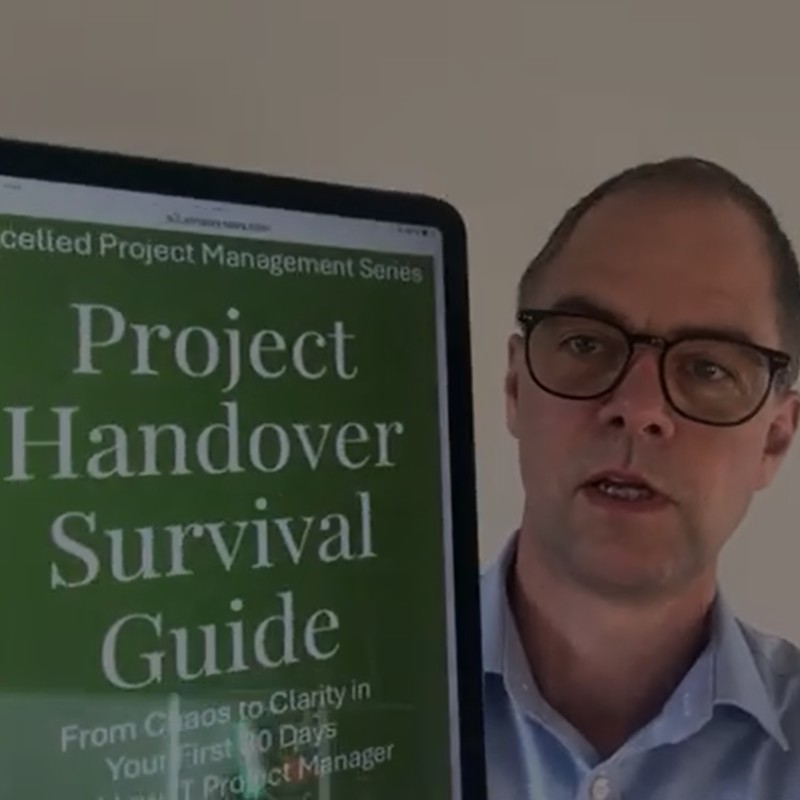
Without Losing Your Mind or Your Reputation 👉 Get the Project Handover Survival Guide here You’ve just been asked to take over a project. Maybe you’re new in the company. Maybe you’ve never worked with this type of project before. Maybe you’re quietly thinking: “Am I too inexperienced for this?” Or maybe: “Am I too old to start over with a new way of working?” The sponsor is watching. The team expects direction. The project is already rolling. You’re now the project manager. And people expect you to make it work. You need to get the team aligned. Understand what the project is really about. See if the plan is realistic. Figure out what the real risks are. And you need to do it fast. When you start doing that – even just the basics – the team and stakeholders will start to trust you. They’ll see you’re the right person for the job. https://youtu.be/iiinzCBfIIM👉 Get the Project Handover Survival Guide here   1. Define Your Leadership – Before the Project Even Starts This is something you can do right now. Even if you haven’t been assigned a project yet. Ask yourself: What kind of project manager do I want to be known as?Are you the one who builds trust fast?Who brings structure?Who keeps things moving when others hesitate? You don’t need 20 years of experience to lead. But you do need clarity. If you’re unclear, people won’t follow you. And if you don’t define your role, others will do it for you – and you may not like how. “Clarity, alignment, stable progress. If we can’t deliver, we act early.” (That’s my personal model. Find yours.) 2. Understand the Role You’re Actually Taking On Every company has a different view of what a project manager is. Don’t assume you’ll be doing the same as last time. Ask what’s expected of you: Are you responsible for delivery or coordination? Do you own the scope, or just the schedule? What decisions can you make alone? Who really has the power in the room? Check the governance model. Talk to the sponsor. Ask the PMO. Align expectations early. It’s hard to correct course once you’re deep in. 💡Pro tip: Be ready to compensate for areas where you can see the project’s governance model is weak, such as business change management or testing. 3. Don’t Focus on Long-Term Plans. Deliver a Quick Win Every project handover is different. And some are messy. You don’t have time to rewrite everything. But you do have time to find small wins. Here’s how I approach the first four weeks: Week 1: Listen. Watch. Absorb. Week 2: Clarify scope. Align with sponsor. Build trust. Week 3: Take action. Simplify. Show results. Week 4: Adjust and improve based on feedback. The most important thing: create momentum. Get something done. Something visible. People don’t trust ideas. They trust action. In my book, “The Project Handover Survival Guide”, I go through this process step-by-step – including tools, checklists, and examples from the field.Here’s what you’ll also find: Appendix: IPMA-Based Complexity Assessment: Use it to assess if your project needs more resources – and explain it clearly to stakeholders. Appendix: How to Use AI Tools in Projects:  Practical advice. No hype. Just ways to save time and stay ahead. Templates for Handovers and Introductions: Emails, summaries, meeting plans. Copy, paste, adjust – and move forward. Why I Wrote the Book I wrote this book because it’s the book I wish I had when I took over my first real project. I learned the hard way. I made the mistakes. I’ve seen what works – and what doesn’t. I don’t want you to repeat my mistakes. I want you to start stronger. Ready to Take Over Your Next Project? Taking over a running project is hard. But it’s also one of the fastest ways to prove your value. 👉 Get the Project Handover Survival Guide here It’s designed to help you lead with clarity, deliver quick wins, and build trust – even when the project is a mess.

How to Take Over a Project Read More »

From Sticky Notes to Digital Whiteboards

How do you activate your virtual project team? In the past, sticky notes and whiteboards were essential tools in project management, helping teams brainstorm ideas, plan projects, and make decisions collaboratively. But as more teams move to remote work, how can we replicate the dynamic and engaging elements of in-person collaboration in a virtual environment? This article explores how to bring the power of physical collaboration into the digital space, ensuring that virtual meetings are just as interactive and productive as in-person ones. 1. The Power of Physical Collaboration For decades, sticky notes and whiteboards have been essential tools for project management. Whether used for brainstorming sessions, risk assessments, or milestone planning, these simple physical tools have enabled teams to collaborate effectively, think visually, and stay engaged. But what makes them so powerful? ✅Tangible Interaction: Writing an idea on a sticky note and placing it on a board creates a physical connection to the work. Moving notes around, grouping them, and prioritizing tasks makes the process more dynamic and engaging. ✅ Encourages Participation: When everyone in a meeting is given sticky notes to contribute ideas, it ensures active participation. People feel heard, and their input is visible. ✅Flexibility and Adaptability: Unlike rigid digital tools, sticky notes and whiteboards allow for quick adjustments. Need to reorganize tasks or pivot a discussion? Just move the notes around! ✅ Enhanced Creativity: The informal and hands-on nature of physical tools fosters creative thinking. Ideas can be explored and developed collaboratively in a way that feels natural and intuitive. ✅Allows All Brains to Contribute Simultaneously: When you give all participants seven minutes to create sticky notes with risks, for example, you quickly gather a wealth of diverse input. This method ensures that every voice is heard and helps surface ideas that might otherwise be missed. These qualities made physical collaboration indispensable. But as remote work becomes the norm, can we recreate the same level of engagement in virtual meetings?

From Sticky Notes to Digital Whiteboards Read More »

Project ready for take-off

Nedenfor er mit bedste bud på en ”Project Ready for Take Off” check liste. Før et fly kører ud på startbanen for at lette, tager kaptajnen checklisten frem og kontrollerer at alt er klar til take off. Hvis dit projekt var et fly, og du som projektleder var kaptajnen, hvad skulle der så stå på checklisten? Her er min top-5 check liste. En fælles vision for projektet, der er kommunikeret til alle interessenter. Det kan være en fordel at prioritere krav/leverancer, så de leverancer der skaber mest værdi bliver leveret tidligt i projektet. Stærk kunde, projektsponsor eller styregruppeformand, der sætter den overordnede retning og er klar til at kæmpe for projektet og knuse de store sten på vejen. Et stærkt, kompetent og sammenspillet projektteam, der er 100% allokeret til projektet. Roller og ansvar er afstemt med alle i projektorganisationen. En projektleder, der kan sikre at projektet dag for dag bevæger sig mod den overordnede vision. Det er essentielt at det hele tiden fastholdes og afstemmes, hvad der er det vigtigste at levere næst. Hvordan ser din check liste ud? Er der andet der skal på listen?

Project ready for take-off Read More »

Project Management: How to Ensure Your Deliverables Reach the Finish Line

When you are buying a house, the three most critical factors are location, location, and location. In project management, the three most critical factors are follow-up, follow-up, and follow-up. If you don’t follow up on an agreement, you simply cannot be certain it will be honoured. You must be relentlessly systematic with your follow-up so that everyone understands you are actively monitoring whether agreements are kept. Follow-up can take many different forms. Here are a few reliable methods you can use: Fixed Interval Status Meetings: Status meetings are an efficient way to track progress. Crucially, before and after the meeting, you must ensure that plans and tasks are properly documented. Always begin each meeting by quickly reviewing the tasks assigned from the last meeting. Supplier Reporting: If you are acting as the client’s project manager, you should agree on fixed reporting intervals with the supplier. Define clearly what the report must contain, and make certain you measure something quantitative. For example, measure the percentage of deliverables completed. Demonstration of Deliverables: A concrete demonstration of the actual work is a much more effective form of reporting, as it provides a better measure of real progress than just a written status update. Email Follow-Up Systems: You need a dedicated system for managing emails that require a reply or action from someone else. Set a specific date for when you will follow up or use a dedicated ‘Waiting For’ category to triage those mails. I recommend reviewing your ‘Waiting For’ emails once a week. Notebook Tracking: Use a physical or digital notebook to jot down every verbal agreement you make. You must then follow up on these notes at regular intervals, just as you would with any formal task list. My experience shows that only about 5–10% of the people you work with will reliably honour all of their agreements without a nudge. You don’t need to chase these high-performers as often, but no one is perfect, and even the best people forget things sometimes. Those who miss deadlines usually don’t do it out of malice; it’s simply human nature to overestimate how quickly a task can be solved. While robust follow-up doesn’t entirely guarantee project success, it will help you spot any deviations from the plan much faster. This gives you the essential opportunity to handle those deviations proactively before they become a major crisis. Best of luck with your follow-up efforts.

Project Management: How to Ensure Your Deliverables Reach the Finish Line Read More »

Project Management: How to Become a Professional Meeting Facilitator

As a project manager, you must be able to run your project meetings effectively. Meeting facilitation is, admittedly, a science in its own right, but please don’t let that intimidate you. You can achieve excellent results with very simple steps. Here are the three key stages you need to go through to hold a truly professional meeting. 1. Preparation Successful meetings always start with diligent preparation. Before the meeting even begins, you need to: Define Purpose and Goal: What exactly do you want to achieve by holding this meeting? Be clear and precise in your objective. Draft an Agenda: Create a structured agenda listing the points that must be discussed. Distribute this to participants well in advance. Invite the Right People: Ensure all necessary decision-makers and relevant stakeholders are included on the invitation list. Prepare Materials: Gather and distribute any necessary documents or presentations ahead of time. Giving people material to read beforehand allows them to arrive ready to discuss, not just consume information. 2. Execution Once the meeting is underway, it’s vital to maintain structure and engagement throughout the session: Start on Time: Show respect for everyone’s schedule by starting precisely when you said you would. Consider beginning at a slightly offset time, such as 10:05 instead of 10:00. This small break can help people transition from a previous meeting and contribute better. Review the Agenda: Make sure everyone is clear on the day’s agenda and the desired outcomes you are aiming for. Facilitate the Discussion: Guide the conversation, keep it focused, and ensure all relevant voices are heard. As the meeting leader, it’s your job to summarise and formally conclude any decision points. Time Management: Be mindful of the clock and ensure that every item on the agenda receives only the attention it truly needs. End with Clear Next Steps: Summarise all decisions made and agree on the next immediate actions so that everyone knows precisely what is expected of them. The meeting will be most efficient if you have one person acting as the leader and another as the note-taker (or minute-taker). For example, if you have a client and a supplier project manager, it can be effective to split this responsibility between them. Be aware, though, that there is considerable power in writing the minutes. The way decisions and tasks are phrased matters significantly. 3. Minutes and Follow-Up After the meeting, it’s crucial to quickly compile the minutes and share them with all participants. These should clearly capture: Decisions made. Tasks assigned and the person responsible for each one. The absolute key is getting the minutes distributed quickly. The format can vary depending on the formality of the meeting. Here are some options: Whiteboard Photo: For internal meeting, a simple picture of the whiteboard, showing the results and agreed tasks, might be enough. Short Email: An effective template could be: “Thanks for a productive meeting today. Here are the key decisions and tasks I noted down. Please let me know if anything needs changing…” Microsoft OneNote: This tool integrates with Outlook, pulling in the meeting invitation details automatically. Microsoft Loop: It’s easy for everyone to collaborate and take notes in the same Loop file during the meeting. Do make sure you note the date and participants manually, as this information isn’t always referenced automatically. Word Document: A more formal record can be written using a standard template in Word, saved as a PDF, and then circulated via email. Microsoft Decisions: Use the dedicated Decisions feature inside tools like Teams or Loop to formally log and track a decision’s status, preventing ambiguity later on. Microsoft Copilot: If you’re using Teams Premium, Copilot can automatically generate meeting summaries, action items, and decisions for you, dramatically cutting down on manual minute-taking time. You must use these minutes actively. It’s absolutely essential that you follow up to ensure the agreed tasks are completed. You can read more about effective follow-up in my other article. Bonus Step: Evaluation If you employ the principles above, you will already be acting as a professional meeting leader. To become even better, you can gain valuable input by asking your participants to evaluate your facilitation periodically. Evaluation can be done in the final five minutes: Simply ask your participants to show you a hand signal using one to five fingers. The number of fingers indicates how much value they got from the time spent in the meeting. One finger signals it was a waste of time, three fingers means it was an ‘okay’ meeting, and five fingers means it was one of the best meetings they’ve attended in months. Good meeting management is extremely important; bad meetings waste both time and money. Conversely, effective meetings that deliver results will generate a positive atmosphere for both your participants and yourself. Best of luck with all your future meetings.

Project Management: How to Become a Professional Meeting Facilitator Read More »

Project Management: How to Get a Clear Overview of Your Tasks

As a project leader, there are some absolutely fundamental tools you simply must master. One of the most critical is maintaining complete clarity over which tasks need completing. If you can successfully establish a reliable task list, you’ve already taken the first crucial step toward becoming a truly effective project manager. The Simple List A task list can take many forms, but the simplest is a basic table that includes four essential columns: Task Title: A concise description of the work required. Responsible: The single person accountable for delivering the task. Deadline: The date or time the task must be completed by. Status: An indicator like ‘To Do,’ ‘In Progress,’ or ‘Complete.’ You can use a list like this for virtually any type of project. This applies whether you are planning the next office social, renovating your kitchen, establishing a new telephony solution, or developing a complex new app. Critically, the list must be easily accessible to everyone working on the tasks. This means the team can quickly check what needs to be done and monitor the current status of all items. You don’t need to be the specialist in the solution the plan delivers. You just need to bring the following to the table: A Solid Team: You need people who genuinely know how the work should be done. Natural Curiosity: This helps you consistently drill down and clarify exactly what tasks need tackling. Diligence: The unwavering ability to keep updating the list with new tasks and accurate status changes. When you succeed in establishing this kind of list, it becomes a kind of lighthouse that your team can steer toward. This is especially important when they are being pulled in various directions by other conflicting priorities. While there are more advanced ways to manage tasks, you can achieve remarkable results simply by using a straightforward task list. Adding Detail with Extra Columns Here are some examples of extra columns you could use to expand your task list and capture more detail: Approver: This column notes who formally signs off to confirm that the task is finished and meets the standard. Helper: It can be tempting to assign joint responsibility, but there’s a huge risk that both people only take 20% ownership each. It is far better to note who is assisting with the task but only allow one person to be formally responsible. Type or Area: Here, you can specify what kind of task it is or which workstream it belongs to. Notes: Sometimes, it’s useful to have a column for ad hoc comments about the task. For example, how far along you are or the specific outcome once the task is finished. Choosing Your List Tools You have plenty of choices when it comes to tools for creating and managing these lists: Spreadsheet: An accessible spreadsheet that everyone can access is a simple, effective solution that will take you a long way. Whiteboard or Flip-Chart: If you’re lucky enough to have your whole team in the same office, you can use a physical, visible task list. Microsoft OneNote: A good, simple tool for creating and sharing task lists across a team. Microsoft Planner: This integrates seamlessly with Teams and offers a highly visual. Microsoft Loop: This is a newer collaborative tool from Microsoft that tracks tasks effectively. Loop can even send automated deadline reminders for you. Trello: A great visual tool for task management, using boards, lists, and drag-and-drop cards. You could also use platforms like Jira, Azure DevOps, or Microsoft Project. However, I’d recommend waiting until you genuinely outgrow your simple task list before introducing that kind of complexity. Your Next Step Use the suggestions above as inspiration and build your own task list in the tool that suits you and your current project best. Once the list is established, the next crucial step is ensuring it gets actively followed up on. In a couple of weeks, I’ll write an article specifically detailing how you can do that. Best of luck getting your task lists organised and effective.

Project Management: How to Get a Clear Overview of Your Tasks Read More »