
How do you activate your virtual project team?
In the past, sticky notes and whiteboards were essential tools in project management, helping teams brainstorm ideas, plan projects, and make decisions collaboratively. But as more teams move to remote work, how can we replicate the dynamic and engaging elements of in-person collaboration in a virtual environment?
This article explores how to bring the power of physical collaboration into the digital space, ensuring that virtual meetings are just as interactive and productive as in-person ones.
1️⃣ The Power of Physical Collaboration
For decades, sticky notes and whiteboards have been essential tools for project management. Whether used for brainstorming sessions, risk assessments, or milestone planning, these simple physical tools have enabled teams to collaborate effectively, think visually, and stay engaged.
✅Tangible Interaction: Writing an idea on a sticky note and placing it on a board creates a physical connection to the work. Moving notes around, grouping them, and prioritizing tasks makes the process more dynamic and engaging.
✅ Encourages Participation: When everyone in a meeting is given sticky notes to contribute ideas, it ensures active participation. People feel heard, and their input is visible.
✅Flexibility and Adaptability: Unlike rigid digital tools, sticky notes and whiteboards allow for quick adjustments. Need to reorganize tasks or pivot a discussion? Just move the notes around!
✅ Enhanced Creativity: The informal and hands-on nature of physical tools fosters creative thinking. Ideas can be explored and developed collaboratively in a way that feels natural and intuitive.
✅Allows All Brains to Contribute Simultaneously: When you give all participants seven minutes to create sticky notes with risks, for example, you quickly gather a wealth of diverse input. This method ensures that every voice is heard and helps surface ideas that might otherwise be missed.
These qualities made physical collaboration indispensable. But as remote work becomes the norm, can we recreate the same level of engagement in virtual meetings?
2️⃣ The Challenges of Virtual Collaboration
While digital tools have made remote work possible, they also bring challenges that can hinder collaboration. Virtual meetings often lack the energy and interactivity of in-person sessions, leading to disengagement and a sense of distance.
Here are some common challenges teams face in virtual collaboration:
🚩 Distractions and Multitasking: It’s easier to get distracted in virtual meetings – checking emails, social media, or even working on other tasks. This can lead to fragmented attention and less focus on the meeting’s objectives.
🚩 Difficulty in Engagement: Virtual tools can sometimes make it hard to engage everyone equally. Some participants may dominate the conversation, while others might struggle to get their voices heard. This can lead to missed input and a less collaborative environment.
🚩 Tech Fatigue: After a long day of virtual meetings, team members may feel mentally exhausted. Constant video calls, screen-sharing, and navigating multiple digital tools can contribute to fatigue and decrease overall productivity.
In this environment, how can we create a virtual space that feels as engaging and collaborative as a physical meeting?
3️⃣ Recreating the Magic in a Digital Space
To recreate the dynamic energy of sticky notes and whiteboards in a virtual setting, digital whiteboards are a game-changer. These tools bring the flexibility and interactivity of physical collaboration to the digital world, allowing teams to brainstorm, organize, and prioritize just as effectively.
Here’s how you can make the transition from sticky notes to digital whiteboards:
✅ Digital Whiteboard Tools: Platforms like Miro, MURAL, and Microsoft Whiteboard replicate the sticky note and whiteboard experience online. They allow participants to add digital sticky notes, move them around, group them, and prioritize tasks, just like in physical meetings. This familiar interface helps teams quickly adapt to digital collaboration.
✅ Real-Time Collaboration: Just like physical sticky notes, digital whiteboards enable all participants to contribute simultaneously. Team members can write, move, and organize their ideas in real-time, ensuring that everyone is equally involved.
✅ Visual Organization: Digital whiteboards allow for visual organization of ideas, making it easy to group, color-code, and prioritize items. This visual approach mirrors the physical experience, keeping the meeting interactive and engaging.
By using digital whiteboards, you can bring the best of sticky notes into the virtual world, ensuring that your team remains engaged and collaborative, no matter where they are.
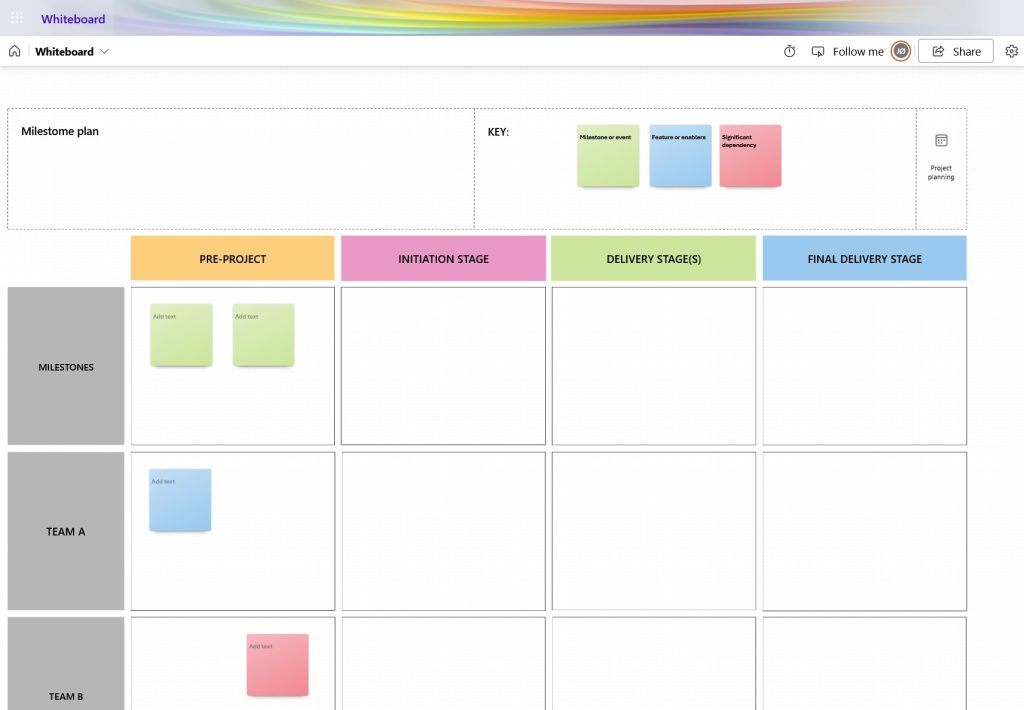
Below you can see and example of template for at project milestone plan in Microsoft Whiteboard.
4️⃣ Best Practices for Interactive Virtual Meetings
4.1 Preparation
📌 Set Clear Objectives: Ensure that every participant knows the purpose of the meeting and what outcomes are expected. This prepares everyone to engage meaningfully.
📌 Share Pre-Meeting Materials: Provide agendas, documents, or links to resources ahead of time. This allows participants to come prepared and reduces the time spent explaining things during the meeting.
📌 Be Creative: Consider making a short video introducing the meeting, meeting ground rules, and preparation needs. Once you get used to it, you can do this faster than writing it all out in the invite.
📌 Share Meeting Ground Rules: Set clear expectations for the meeting. For example, ask participants to turn on their webcams, use the “raise hand” feature, or refer to a “parking lot” for off-topic discussions.
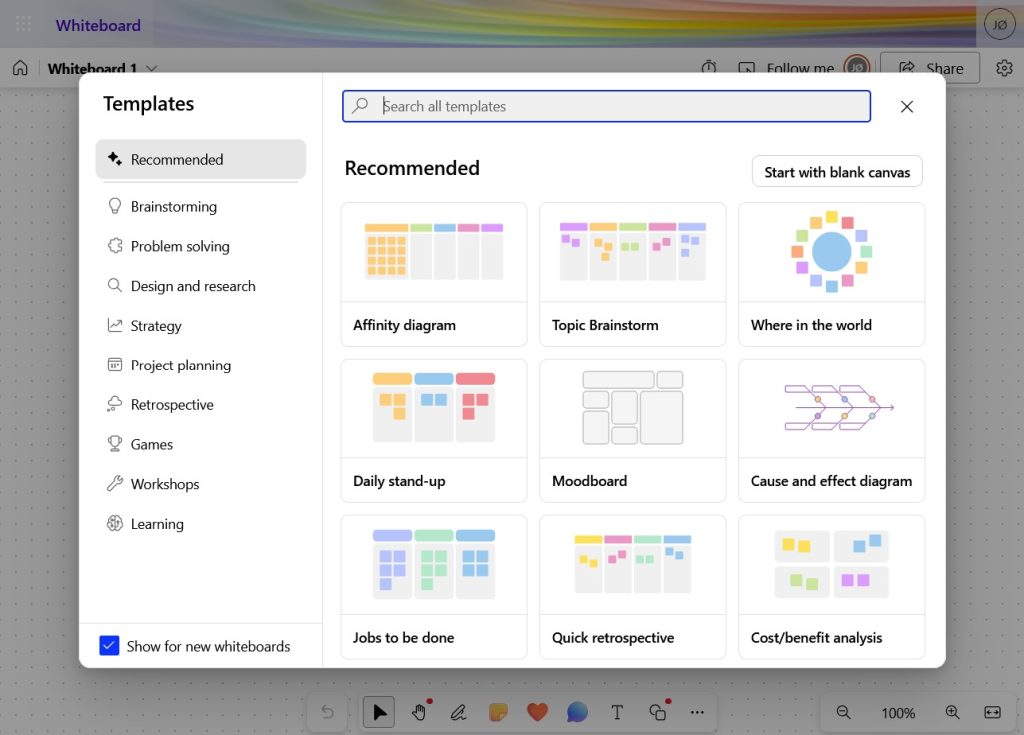
Below you can see some of the templates that Microsoft whiteboard offer. They are very easy to customize.
4.2 The Meeting
🔲 Use Time Limits and Timers: Keep things moving by setting time limits for discussions. Use a timer to maintain a sense of urgency and avoid discussions dragging on unnecessarily.
🔲 Ask Open-Ended Questions: Encourage creative thinking by asking open-ended questions. This invites diverse perspectives and keeps the conversation flowing.
🔲 Mix Up the Format: Use a mix of activities like polls, group brainstorming, and presentations to break up the monotony and maintain interest.
4.3 After the Meeting
🔲 Document and Share Outcomes: Use digital tools to capture the results of the meeting and share them with participants. This ensures that everyone is on the same page and can refer back to decisions or actions.
- Capture Plans: Plans can be captured in MS Project or a high-level PowerPoint milestone plan.
- Capture Risks: Risks can be captured in Excel or company risk management tools.
- Capture Decision Papers: Document key decisions in PowerPoint or Word.
- Capture Stakeholder Analysis: Use Excel for stakeholder analysis to ensure clarity on key stakeholders and their interests.
🔲 Follow-Up: Keep the momentum going by following up on action items and commitments made during the meeting.
By following these best practices, you can turn your virtual meetings into engaging, productive sessions that keep your team aligned and focused.
5️⃣ Bonus Tip: AI in Microsoft Whiteboard
Incorporating AI into your digital whiteboard sessions can further enhance collaboration and efficiency. Microsoft Whiteboard, for example, offers some AI-powered features that can make your virtual meetings even more dynamic and productive.
- Auto-Organizing Content: Microsoft Whiteboard uses AI to help automatically organize sticky notes, shapes, and text boxes in a way that makes the content clearer and more visually appealing. This can save you time during brainstorming sessions and improve the overall layout of the board.
- Real-Time Suggestions: AI can provide real-time suggestions based on the content being added to the board. For example, if you’re brainstorming ideas for a project, it might suggest common project categories or next steps.
- Summarizing Sessions: AI can also help summarize the key points of your session, automatically extracting important decisions, action items, and next steps, so you can focus on what’s most important.
By integrating AI-powered tools like these into your meetings, you can take your virtual collaboration to the next level and make your sessions more efficient, organized, and insightful.
6️⃣ Conclusion: Making Virtual Collaboration Feel Natural
Key Takeaways:
🚀Leverage Digital Whiteboards: Use tools like Miro, MURAL, or Microsoft Whiteboard to bring physical collaboration into the digital space.
🚀 Encourage Active Participation: Make sure everyone is contributing, whether it’s through digital sticky notes or brainstorming sessions.
🚀 Prepare and Set Expectations: Share the objectives, tools, and ground rules ahead of time to ensure a smooth and productive meeting.
🚀 Use AI to Enhance Meetings: Take advantage of AI features to help organize content, summarize sessions, and provide real-time suggestions.
By continuously experimenting and refining your approach, you’ll make virtual meetings a natural and effective part of your team’s workflow.
Good luck with your virtual meetings.🚀